



- New
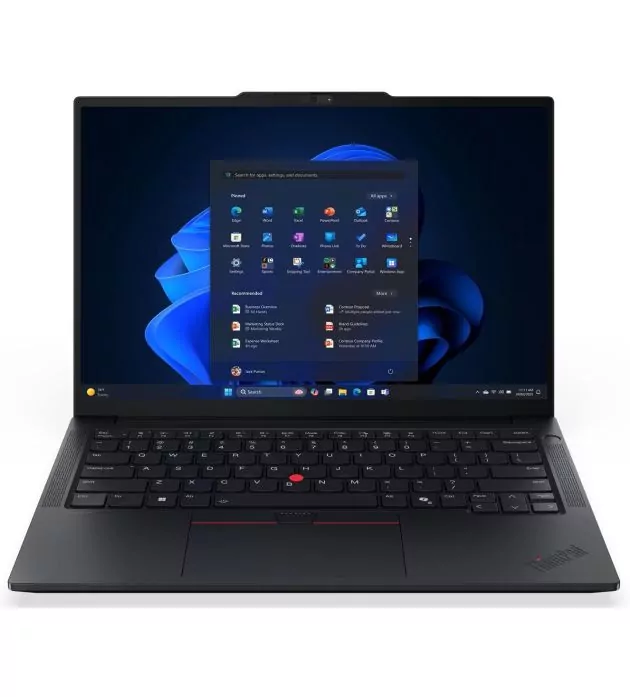
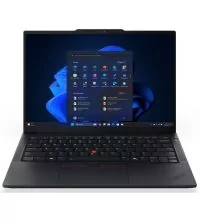
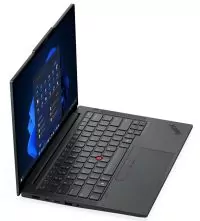
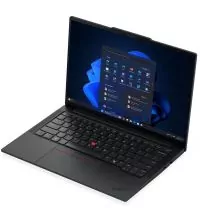
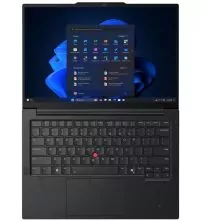
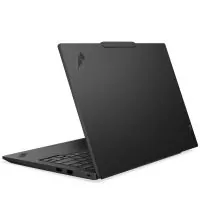
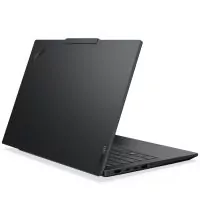
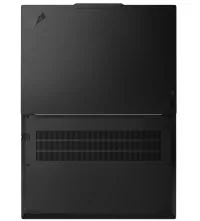
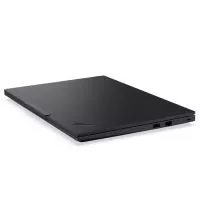
The ThinkPad E14 Gen 7 gives business users a compact 14-inch laptop without sacrificing processing power or practical connectivity. This version, part number 21T0001AED, uses the AMD Ryzen 7 250 processor, 16GB DDR5 memory and a 512GB NVMe SSD. It is suited to office applications, financial and administrative work, multitasking, remote meetings and users who regularly carry their computer between workspaces.
At the centre of this ThinkPad is the AMD Ryzen 7 250, an 8-core, 16-thread processor with a 3.3GHz base frequency and boost speeds up to 5.1GHz. It has 8MB of L2 cache and 16MB of L3 cache, giving it ample processing capacity for demanding productivity applications and sustained multitasking.
Its integrated AMD Radeon 780M graphics handle the display and everyday graphics workloads. The 780M is capable of more than basic desktop rendering, making it useful for light photo editing, video playback and less demanding graphics applications. It does not replace a laptop with dedicated graphics for heavy 3D rendering or demanding gaming.
The Ryzen 7 250 includes AMD Ryzen AI hardware, with an NPU rated at up to 16 TOPS. Lenovo classifies this processor option as an AI PC and lists up to 38 overall TOPS across the platform. Compatible applications can use the NPU for supported AI tasks, including selected audio, video and productivity features. This is an AI-capable laptop, but it should not be described as a Copilot+ PC.
The installed 16GB of DDR5-5600 memory is fitted as one 16GB SO-DIMM module. The motherboard has two physical SO-DIMM slots, so one slot remains available for an additional memory module. Both slots support dual-channel operation. Lenovo lists support up to 64GB, although that capacity is specified for special-bid offerings.
Storage is handled by a 512GB M.2 2242 PCIe 4.0 NVMe SSD with Opal 2.0 support. There is also a second M.2 2280 PCIe 4.0 slot, allowing another SSD to be installed without removing the factory drive. This gives the laptop a useful upgrade path for users who need more space for work files, projects or virtual machines.
The 14-inch WUXGA screen has a resolution of 1920 × 1200. Its 16:10 format provides more vertical space than a conventional Full HD 16:9 panel, which is helpful when viewing spreadsheets, editing documents or working with long web pages.
This version uses an IPS panel with a 60Hz refresh rate, 300-nit brightness and an anti-glare surface. Color coverage is 45% NTSC, making it suitable for everyday business use rather than professional color-sensitive design work. The display is non-touch and does not support an active pen.
The familiar ThinkPad keyboard is spill-resistant and has a six-row layout with multimedia function keys and a backlight. This regional version is listed with an English/Arabic keyboard layout. The TrackPoint remains available alongside the multi-touch trackpad, giving users two ways to navigate without reaching for a mouse.
Security features include TPM 2.0, a Kensington Nano Security Slot and a webcam privacy shutter. The platform supports an optional fingerprint reader integrated into the power button, but its presence should be confirmed for the supplied AED unit before listing it as an included feature.
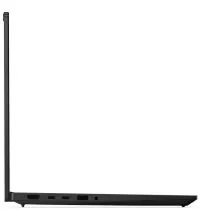
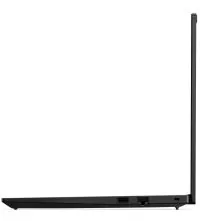
The E14 Gen 7 has a useful selection of connections for a business computer. In addition to two USB-A ports, it provides two USB-C connections, one of which supports USB4 at up to 40Gbps. Both USB-C ports support Power Delivery and DisplayPort, making compatible docking stations and external displays straightforward to connect.
For direct video output, there is an HDMI 2.1 port supporting up to 4K at 60Hz. A built-in RJ-45 Gigabit Ethernet connection is available when a wired network is preferred, and the 3.5mm combo jack accepts a compatible headset. The laptop can support up to four independent displays in total, including its internal screen, subject to display and resolution limitations.
Wireless networking is provided by a 2×2 Wi-Fi module, with Wi-Fi 6 or Wi-Fi 6E options across the product family, alongside Bluetooth 5.3. The exact wireless card can vary by regional build. The laptop also has an integrated webcam with a privacy shutter, dual microphones with smart noise cancellation and stereo speakers rated at 2W each. Dolby Atmos audio by HARMAN is supported.
Lenovo offers different camera modules across the E14 Gen 7 family, including HD, Full HD infrared and 5MP versions. The exact camera resolution for this regional part number is not clearly identified in the available SKU information, so it should be checked on the supplied unit before advertising a specific resolution or Windows Hello facial recognition.
This version is listed with a 48Wh rechargeable lithium-ion battery and a 65W USB-C power adapter. Rapid Charge Pro can recharge the battery to approximately 50% in 30 minutes when the laptop is turned off or in standby or hibernation mode.
Lenovo's MobileMark 30 testing reports up to 8.71 hours for a Ryzen 7 250 system with 16GB memory and a 48Wh battery, using Windows 11 and 250-nit screen brightness. This is a manufacturer benchmark rather than a guaranteed runtime for every workload. Battery life changes with screen brightness, applications, wireless activity and power settings.
The E14 Gen 7 has a black finish and an aluminum top cover. It measures approximately 313 × 220.3mm and starts at around 1.41kg, making it practical to carry while retaining the connections and keyboard layout expected from a business notebook.
The 21T0001AED is supplied with DOS rather than Windows. No Windows licence is included, so the operating system must be installed separately. This is worth noting for businesses preparing several laptops for deployment or buyers who already have their own Windows licensing.
Model: Lenovo ThinkPad E14 Gen 7 AMD
Machine Type / Part Number: 21T0001AED
Processor: AMD Ryzen 7 250
Cores / Threads: 8 cores / 16 threads
Base Frequency: 3.3GHz
Maximum Boost: Up to 5.1GHz
Cache: 8MB L2 / 16MB L3
Graphics: Integrated AMD Radeon 780M
AI Processor: AMD Ryzen AI NPU, up to 16 TOPS
Overall AI Performance: Up to 38 TOPS
Installed Memory: 16GB DDR5-5600
Memory Layout: 1 × 16GB SO-DIMM
Memory Slots: 2 × DDR5 SO-DIMM, dual-channel capable
Maximum Memory: Up to 64GB, special-bid availability
Primary Storage: 512GB M.2 2242 PCIe 4.0 NVMe SSD, Opal 2.0
Additional Storage: One M.2 2280 PCIe 4.0 slot available
Display Size: 14 inches
Resolution: WUXGA, 1920 × 1200
Panel: IPS, anti-glare
Aspect Ratio: 16:10
Brightness: 300 nits
Color Coverage: 45% NTSC
Refresh Rate: 60Hz
Touchscreen: No
Pen Support: No
Keyboard: Backlit, spill-resistant, English/Arabic layout
Pointing Devices: TrackPoint and multi-touch trackpad
Camera: Integrated webcam with privacy shutter; resolution to be confirmed for the supplied unit
Microphones: Dual-microphone array with smart noise cancellation
Speakers: Stereo 2W × 2, Dolby Atmos, audio by HARMAN
Wireless: 2×2 Wi-Fi 6 / Wi-Fi 6E, depending on installed wireless card
Bluetooth: 5.3
Ethernet: Gigabit Ethernet, RJ-45
USB-A: 1 × USB 5Gbps, 1 × USB 10Gbps Always On
USB-C: 1 × USB 5Gbps with Power Delivery and DisplayPort 1.4
USB4: 1 × USB4 40Gbps with Power Delivery and DisplayPort 1.4a
HDMI: 1 × HDMI 2.1, up to 4K at 60Hz
Audio: 1 × 3.5mm headphone/microphone combo jack
Security Slot: Kensington Nano Security Slot
Battery: 48Wh rechargeable lithium-ion
Battery Life: Lenovo MobileMark 30 estimate up to 8.71 hours for the Ryzen 7 250, 16GB, 48Wh Windows 11 test setup
Rapid Charging: Rapid Charge Pro, up to 50% in 30 minutes under supported charging conditions
Power Adapter: 65W USB-C
Operating System: DOS, no Windows licence included
Color: Black
Dimensions: Approximately 313 × 220.3mm; chassis thickness varies by area and material
Weight: Starting at approximately 1.41kg
The ThinkPad E14 Gen 7 is a good match for professionals, small-business owners, office teams and students who want a capable 14-inch laptop with room to upgrade. Its eight-core Ryzen 7 processor, Radeon 780M graphics and expandable memory make it suitable for heavier multitasking than basic entry-level notebooks. The second SSD slot is another advantage for users who expect their storage needs to grow. Buyers looking for a touchscreen, a dedicated gaming GPU or Windows already installed should choose a different version.